

Finding the right Substance Abuse Professional (SAP) can be a challenging process. When you select a provider, you should never shop based on price alone. Because qualifications vary wildly across the industry, choosing the wrong professional can leave you no more knowledgeable about the process than when you started—which can ultimately delay your Return-to-Duty (RTD) hiring pursuit.
Instead, you need a partner who understands the Return-to-Duty journey and can help you master the DOT language that will make you more valuable when seeking employment. As you evaluate your options, look for a professional who meets these critical standards:
- Great Rapport: Select a professional you can talk to openly.
- Database Knowledge: Choose a provider who can walk you through the FMCSA Clearinghouse registration and login process.
- Expert with Compliance: Ensure they completely understand DOT rules and the strict RTD framework.
- Ongoing Availability: Select someone who makes themselves available even after you complete the core process.
- Strong Communication: They must communicate clearly with your current or future employer to keep everyone on the same page.
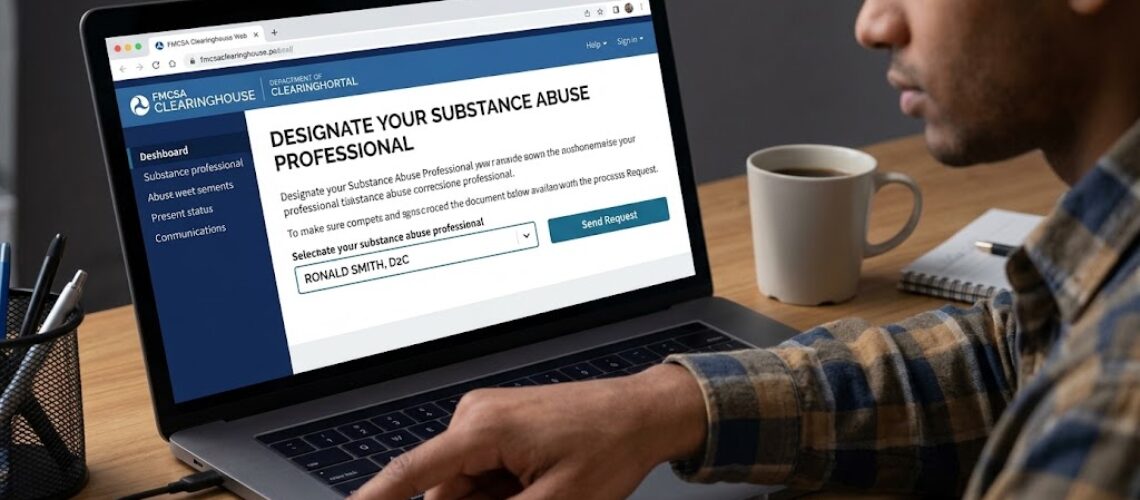
Once you pick your provider, your next step is to log into the Clearinghouse, designate them as your SAP, and hit that send request button.
Table of Contents
ToggleStep-by-Step Instructions: How to Designate a SAP
Designating your SAP online is simple if you know where to click. Follow these exact steps to update your dashboard:
- First, log into your official FMCSA Clearinghouse dashboard.
- Next, look under the 6-steps progress tracker and click the button labeled “View RTD Process Details”.
- Then, locate the section titled “Designate Your Substance Abuse Professional”.
- Type your SAP’s name into the search box. While typing, it should pop up in the dropdown box to select.
- Finally, hit the “Send Request” button to submit your choice.
Once you complete these steps, you will successfully secure your first checkmark on Step 1. For a detailed offline guide, you can Download our Designate-SAP Instructions PDF below. Additionally, you can review the official FMCSA CDL Downgrades FAQ to see why completing these steps quickly keeps your license safe.
Next Steps: Scheduling Your SAP Evaluation
You can now communicate with your SAP for the next steps, like signing the SAP agreement, setting up payment for services, and scheduling your SAP evaluation either in person or virtually.
When we say virtually, the DOT has authorized a convenient method of conducting your meetings with a SAP over secure visual platforms such as Microsoft Teams or Zoom. This means you can now conduct an evaluation from the privacy of your own kitchen table, office, or vehicle (non-moving, of course). It’s that simple!
Reclaim Your Commercial Driving Career Today
Navigating the federal database can feel overwhelming, but you do not have to do it alone. At Delivered 2 Choices, we simplify the entire process. We guide you through steps 1-4 in your dashboard so you can satisfy the DOT requirements without the stress.
Do not let modern technology, computer systems, or online platform confusion stall your trucking career. Let us help you. Call or text Delivered 2 Choices today at 916-399-3047 to get moving in the right direction.