
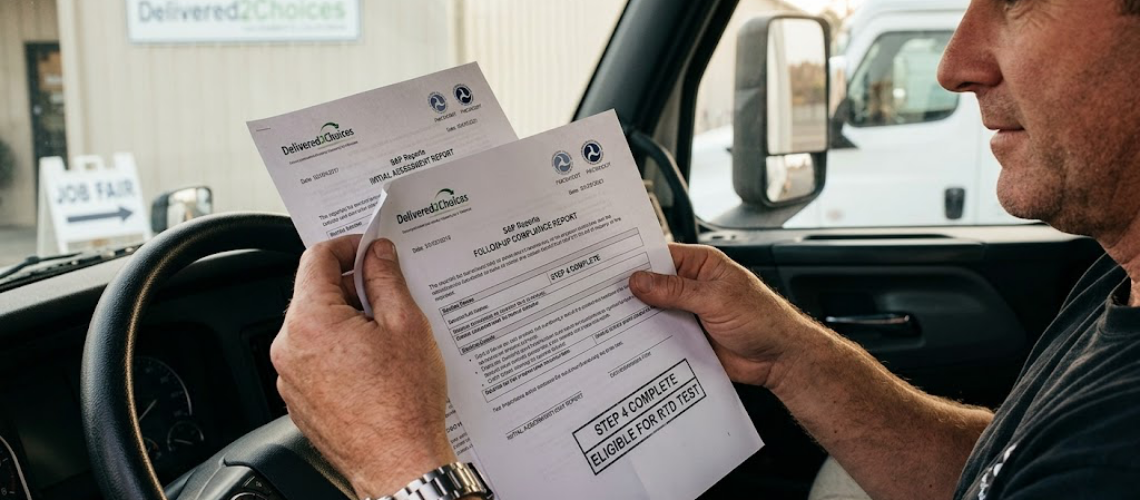

It never ceases to amaze me how few drivers with a DOT violation utilize their SAP reports. Some Substance Abuse Professionals (SAPs) do not provide these documents directly to the driver. Instead, they send them only to the hiring employer. However, your SAP reports should always go directly to you.
Essentially, this document is your official receipt for services rendered up to step four of the DOT Return-to-Duty process. Once you find a job, you can present your SAP reports to your potential employer. Consequently, the employer will reach out to the SAP to request the follow-up testing plan.
Table of Contents
ToggleAvoiding Common Return-to-Duty Roadblocks
Unfortunately, this industry often turns a simple process into a complicated one. Frequently, drivers forget to provide their SAP reports, do not know they should, or assume they are not needed. Either way, failing to provide these documents leads to unnecessary delays.
For example, you might experience these common issues:
- A driver calls the SAP in a panic because they urgently need the follow-up plan for a new job.
- The employer provides an email to the driver to provide the SAP and request the testing plan.
- A company hires the driver for a non-DOT position, leading the driver to falsely assume random tests count toward their required follow-up testing. (They do not!)
What Do SAP Reports Consist Of?
You might wonder what these documents contain. First, there are two primary records: the Initial Report and the Follow-Up Report. You can review the official rule at Transportation.gov.
In short, the initial report outlines the required treatment recommendations. Next, the follow-up report documents whether you successfully completed those recommendations. Additionally, it details the specific next steps for the driver.
Ultimately, SAP reports confirm that you completed the evaluation phase. Furthermore, they allow Designated Employer Representatives (DERs) and C/TPAs to verify your progress easily.
Steps for Onboarding with a DOT-Regulated Employer
When you start with a new employer, the process usually follows these four steps:
- The employer runs a query in the FMCSA Clearinghouse.
- The employer checks whether you are on step 4 (needing Return-to-Duty testing) or step 5 (needing pre-employment testing).
- The employer contacts the SAP by phone or company email to request the follow-up testing plan.
- The employer begins follow-up testing for step 6.
Keep Your SAP Reports Organized
Drivers should always keep their SAP reports ready to present to an employer. Therefore, as soon as your SAP emails the documents, create a dedicated folder in your inbox named “SAP Reports.” As a result, you will always have fast access to print or forward them.
Because SAP reports are crucial to the hiring process, you must understand what they say. Read them carefully so you can communicate clearly with potential employers. Do not rely solely on your employer to guide you through the process. Take responsibility and happy job hunting.
For additional information, you can also check the Learn Center in the FMCSA Clearinghouse.
Need an Expert SAP?
Do you need an expert SAP to guide you through a DOT violation and help you use your SAP reports effectively? Call Delivered2Choices today at 916-399-3047!